Keyboard-first
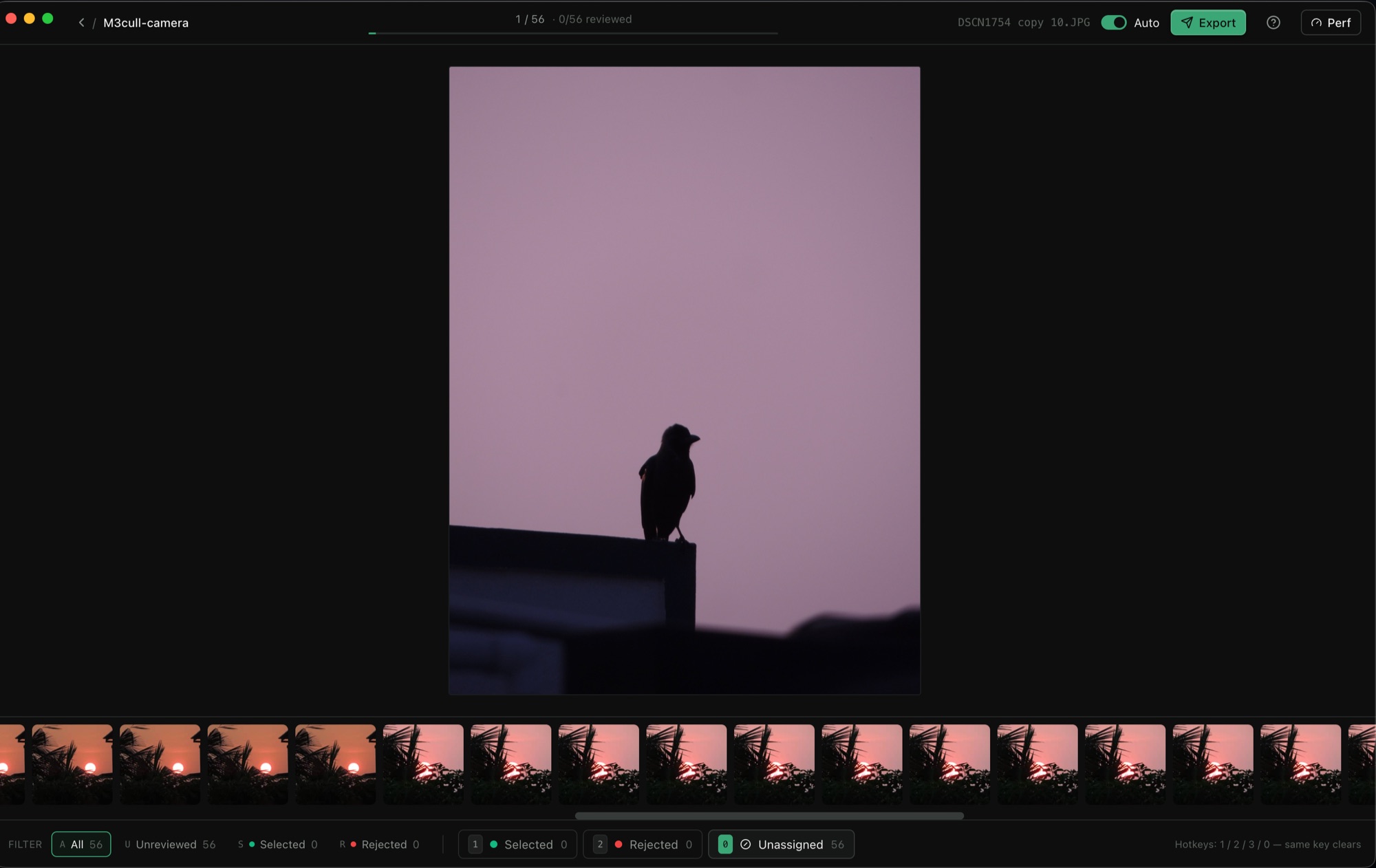
Tag a frame in one keypress. Hold a key to fast-reject batches at ~120ms per photo. No mouse needed.


Free photo culling software for Mac & Windows. Keyboard-driven, offline, originals untouched. Built for the moment after the shoot — when every minute matters.
macOS 12+ · Windows 10+ · v0.1.0 · ~113 MB · Mac Intel build
Every detail tuned for photographers who shoot a lot, edit a lot, and don't have time to wait on slow software.
Tag a frame in one keypress. Hold a key to fast-reject batches at ~120ms per photo. No mouse needed.
Right-sized 2K–4K previews are generated once and cached around your cursor. Decoded in under 50ms.
m3cull never moves, renames, or modifies a single original file. It only tracks references and your bucket choices.
JPEG, PNG, HEIC, WebP, TIFF, MP4, MOV, WebM, MKV — all in one project. Sprite-sheet scrubbing on long clips.
Force-quit at frame 1,847? Open the project tomorrow and you're right back where you left off.
Copy your selected files to any folder, flat or grouped by bucket. Or just export a CSV / JSON manifest.
Contact-sheet view of every photo and video in the project. Click any tile to drop into the keyboard-driven review.
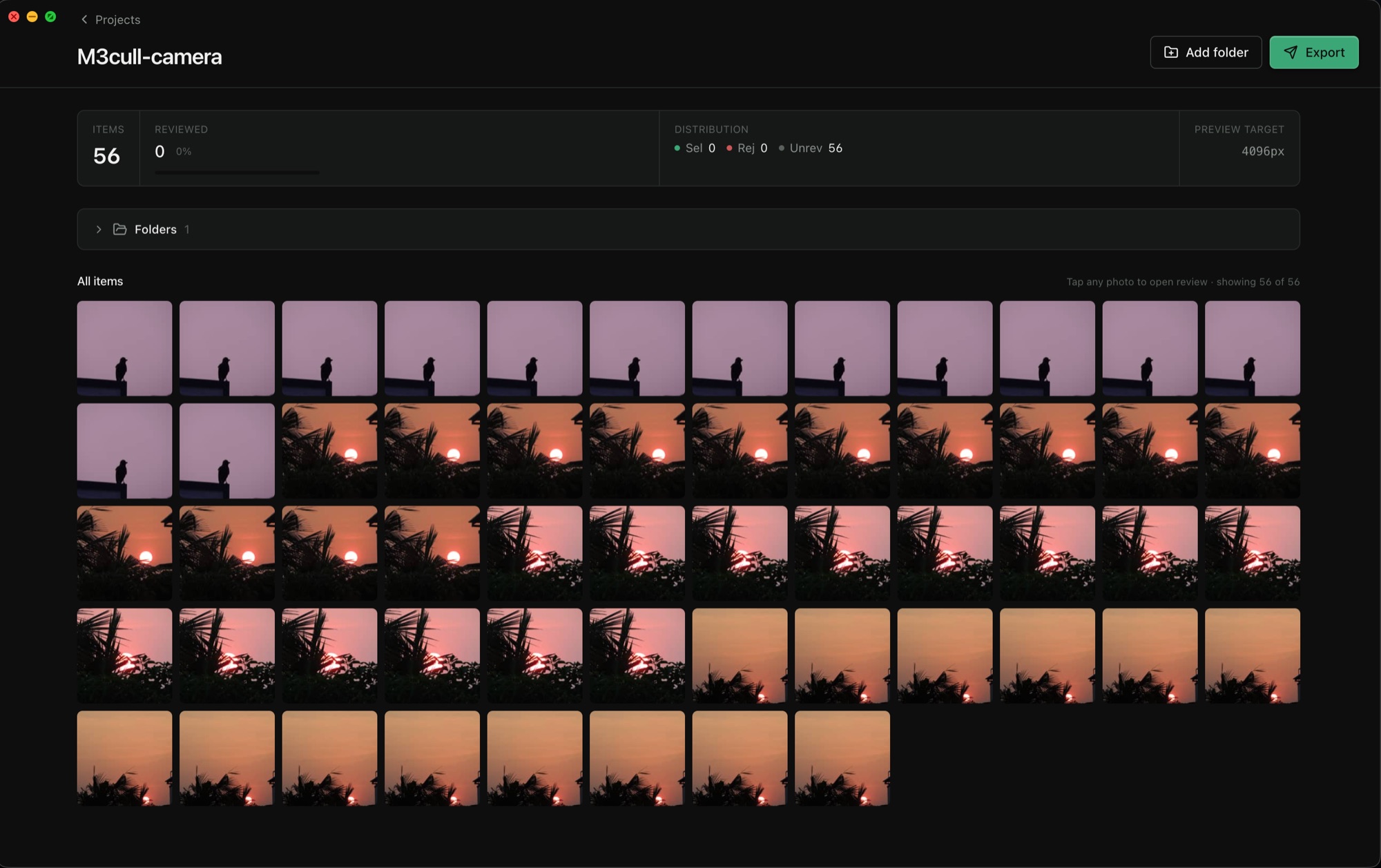
Point m3cull at a folder. It scans recursively, generates thumbnails and adaptive previews in the background, and gets out of your way.
Press 1 for keep, 2 for reject, 3 for maybe. Auto-advance is on by default. Undo with ⌘Z.
Pick a destination, pick a bucket, hit go. Four parallel workers copy your selects. Originals stay where they are.
m3cull was built for wedding and event photographers who shoot 1,000–5,000 frames a day, second shooters who pre-cull for clients, and hobbyists who refuse to pay a subscription to look at their own photos.
Everything photographers ask before downloading m3cull.
Yes — m3cull is safe. The DMG is signed with a local certificate but isn't yet notarized by Apple, so macOS Sequoia (15+) Gatekeeper blocks the first launch. Notarization requires an Apple Developer Program account ($99/year), which m3cull will join as soon as it stops being a free side project. The app itself is exactly what you downloaded — no telemetry, no network calls beyond the weekly key check.
One-time fix — System Settings (no Terminal):
Power-user alternative — one Terminal command:
xattr -cr /Applications/m3cull.app
If you haven't moved it to /Applications yet, run this on the DMG before opening:
xattr -cr ~/Downloads/m3cull-0.1.0-mac-apple-silicon.dmg
open ~/Downloads/m3cull-0.1.0-mac-apple-silicon.dmg
Yes. m3cull is free for now — no subscription, no trial, no account required. The app verifies a free access key once a week to stay in sync with releases. A paid tier may arrive in the future, but anything you download today stays free to use.
Photo Mechanic costs around $150 and is the gold standard for manual culling. m3cull aims for the same speed in a free, focused app — no metadata editing, no ingest, just culling. If you want the full pro toolkit, Photo Mechanic is still the answer. If you just want to cull fast, try m3cull.
Yes — for the culling step. m3cull doesn't use AI to pick photos for you. It's manual-first, keyboard-driven culling. Many photographers prefer making their own selections; m3cull is built for them.
Not in v1. The first release supports JPEG, PNG, HEIC, WebP, TIFF, and most common video formats. RAW (CR2, NEF, ARW, DNG) is on the roadmap.
Yes. m3cull supports MP4, MOV, WebM, MKV, and AVI with full playback, scrubbing via sprite-sheet preview, and the same bucket workflow as photos.
Never. m3cull only stores references and your bucket choices. Originals are read-only until you trigger an export, and even then originals are copied — never moved or deleted.
A skilled user can cull 3,000 photos in about 30 minutes using only the keyboard. Hold-key fast-reject pushes that further for obvious culls.
Yes. After the weekly access-key check, m3cull runs fully offline. No telemetry, no cloud sync, no calls home during normal use.
macOS 12+ on Apple Silicon or Intel, or Windows 10+ on x64. 8 GB RAM is comfortable. A small project takes around 80 MB of disk for the app plus cache for your previews.
m3cull is free, offline, and respects your originals. Pick your platform.